Lalamove Driver - Drive & Earn
- 4.3
- Rating
- 10.00M
- Installs
- Free
- Price

 Analysis by App-foxy
If you are considering delivery or transport work and want to understand what the first day might feel like, Lalamove Driver is aimed at that specific routine rather than at ordinary passenger navigation. I approached it as a driver-focused app: the useful question is not simply whether it can show a map, but whether it helps you move from checking available work to completing a job with less guesswork. That makes it different from the navigation app you may already keep on your phone.
The app is free to install, carries an Everyone age rating, and is developed by Lalamove Media Limited. Its store summary focuses on cash-out options, bonuses, and driver benefits, but I would treat those as reasons to explore the app rather than as guaranteed earnings. Your results will depend on the jobs available in your area, the time you drive, your vehicle, operating costs, and the requirements attached to each order.
What to expect before accepting your first job
Lalamove Driver belongs to the Maps & Navigation category, but its purpose is narrower than a general map service. A normal navigation app starts with a destination and helps you find a route. This one is built around the driver’s working flow: finding relevant orders, deciding whether a job makes sense, following the trip, and handling the practical steps around completion. That distinction matters because the best experience comes when you use it as a work tool, not as a replacement for every app on your phone.
You May Also Like

 AccuWeather: Weather Radar
AccuWeather Review: A Quick, Clear Forecast for Everyday Decisions
For everyday plans, the best forecast is the one you can understand quickly. AccuWeather makes rain timing, radar, and local conditions easy to act on, with a few trade-offs.

 Hill Climb Racing
Why Hill Climb Racing Still Turns Crashes Into One More Run
A tiny car, a bumpy hill and one more upgrade: Hill Climb Racing keeps resurfacing because its simple chaos makes every near-miss feel personal.

 AliExpress - Shopping App
AliExpress Makes Global Shopping Feel Personal, but Shoppers Bear the Risk
AliExpress turns a global marketplace into a pocket-sized discovery engine. Its reach is useful, its shopping loop compelling, and its trade-offs easy to miss.

 Lords Mobile: Kingdom Wars
Lords Mobile Is a Kingdom-Building Routine, Not a Quick Match
A case-by-case verdict on the building, battles, device demands, and social commitments that make Lords Mobile rewarding for some players and exhausting for others.

 PDF Scanner app - TapScanner
TapScanner Makes Paperwork Easier to Capture, Check, and Share
TapScanner makes scanning with a phone feel less like a rescue operation and more like a dependable step in getting work done. Its capture tools are useful, though not flawless.

 Block Blast!
 Shows How Much a Puzzle Game Can Leave Out
A quiet grid game shows why puzzle players increasingly value instant clarity, repeatable skill and low-pressure play—and where the genre still needs to catch up.
More From Our News Desk
View All News


I would recommend setting aside a few minutes to understand the screen before going online or committing to a trip. A first-time driver needs to know where current work appears, how a job’s pickup and drop-off information is presented, and where the action for accepting or progressing an order is located. Even when an interface looks simple, rushing through the first request can lead to a poor decision about distance, traffic, or the time needed to reach the pickup point.
The app has a substantial user base, with more than ten million installs and an average rating of four stars from roughly three hundred seventy-five thousand ratings. Those figures suggest that many drivers find the basic idea useful, while also reminding me not to present it as universally effortless. A driver app can be valuable and still feel demanding when demand is uneven, addresses are unclear, or a job does not fit your route.
One practical expectation is that the app may become most useful when you already know your own working limits. Before accepting anything, decide how far you are willing to travel empty, how long you can wait at a pickup point, and which areas you prefer to avoid at busy times. The app can present an opportunity, but it cannot decide whether the opportunity is sensible after fuel, parking, tolls, and unpaid travel are considered.
That is the first non-obvious trade-off: a job that looks attractive in isolation may be less attractive when you include the journey to collect it and the distance you must travel afterward. I found that the right habit is to evaluate the whole movement, not only the visible destination. This is especially important for drivers who use a car or motorcycle and are trying to protect their hourly return rather than simply stay busy.
Who will get the most from it
This app makes the most sense for someone who wants a dedicated place to manage delivery or driver work and is comfortable making quick decisions from a phone. It can suit a person testing flexible work, a driver filling quiet periods, or someone who already knows the streets in their service area and wants a more organized way to look for jobs.
It is less suitable if you want a guaranteed schedule, a fixed income, or a navigation-only experience. It is also not the right tool for someone who dislikes checking trip details before accepting work. The driver still has to judge whether an order is practical. If you prefer a predictable route planned in advance, a traditional map app or a direct employer arrangement may be a better fit.
Another point worth keeping in mind is that the app’s emphasis on attractive bonuses and exclusive benefits may catch your attention, but incentives should not be confused with a stable earning promise. Read the conditions shown in the app carefully and consider whether the required driving pattern works for you. A bonus that encourages extra empty mileage may not improve your actual result.
Setting up without making the first day harder
After installing Lalamove Driver, I would begin by checking the account and driver information screens slowly instead of trying to reach the first order immediately. Use your real details, review each field before moving on, and keep any vehicle or identity information consistent with the documents you normally use for work. Small mismatches can create avoidable delays when you are trying to start.
The current version is 117.0.5, and the app supports devices running Android 5.0 or later. That broad compatibility is helpful if you use an older spare phone for driving, although an older device may still feel slower when switching between the driver app, maps, calls, and messages. In my experience, a reliable phone mount, enough battery, and a stable mobile connection matter almost as much as the app itself during a working shift.
Before accepting a real order, inspect the account area for the places where driver status, earnings information, cash-out details, and benefits are handled. I would not assume that seeing an earnings figure means the money is immediately available in the way you expect. Look for the wording around eligibility, processing, and any conditions, then decide how often you actually need to withdraw. Frequent cash-outs may feel reassuring, but the important issue is whether the timing and requirements fit your personal budget.
A useful setup habit is to separate work preparation from navigation preparation. Confirm that the driver app is ready, then make sure your preferred mapping tool is also easy to reach. Lalamove Driver is specialized for driver activity; a dedicated navigation app may still be more comfortable for detailed route viewing, traffic context, or exploring alternate roads. Switching between them can add friction, so arrange your phone before you begin moving rather than while stopped at a difficult pickup location.
You should also decide how you will record your own costs. The app may help you follow work and review earnings-related information, but your real profit calculation belongs to you. A simple daily note covering fuel, parking, tolls, and unpaid travel can reveal whether certain job types or areas are worth repeating. This is a stronger way to judge the service than looking only at the amount attached to each completed trip.
Turning the first available order into a successful action
For a first meaningful success, I would choose a quiet period and an order that is easy to understand rather than chasing the most ambitious trip. Read the pickup point, destination, and any visible instructions before accepting. If the route crosses an area you know well, that familiarity reduces the mental load and lets you learn the app’s workflow without simultaneously solving an unfamiliar road problem.
Once you accept, pause briefly to verify the pickup location. Addresses can be technically correct but still difficult in apartment complexes, shopping areas, hospitals, or buildings with several entrances. The efficient approach is to compare the displayed location with the surrounding map and look for a practical stopping point. Arriving near the pin is not always the same as reaching the person or business entrance.
At pickup, keep the app open long enough to understand which status or progress action moves the order forward. This is one of the details first-time users often overlook: navigation and job progress are separate tasks. Reaching the correct street does not necessarily complete the pickup stage. I would only advance the order after checking that I am at the right place and have the correct item or collection, following the information shown inside the job.
During the trip, avoid interacting with the screen while driving. Set the route before moving, use voice guidance where appropriate, and pull over if you need to inspect an address or update the order. A driver app is useful only when it supports safe decisions. Saving a few seconds by tapping through screens in traffic is not a worthwhile shortcut.
At drop-off, check the destination carefully before marking the final stage complete. This is another useful workflow insight: the end of the route and the end of the job are related but not identical. Confirm that you are at the intended location, follow any delivery instructions visible in the order, and review the completion screen before leaving. That final pause can prevent confusion later if you need to remember which trip has already been finished.
A realistic first-day scenario would be a driver starting after work with a limited window of time. Instead of accepting the first request immediately, the driver checks whether the pickup is close enough, confirms that the destination does not send the vehicle far outside the preferred area, and accepts only when the complete movement makes sense. After completing the order, the driver reviews the earnings information and notes the actual time and expenses. That process produces a more useful first result than simply completing one trip as quickly as possible.
Where new drivers commonly get confused
The first source of confusion is the difference between being available for work and being ready for a profitable job. An order can appear at a convenient moment but still involve a long approach to the pickup. I recommend treating the pickup distance as part of the job, even if it is not the part that first catches your eye.
The second is the difference between the app’s displayed earning information and your personal take-home amount. Cash-out convenience can make the money feel immediate, but your actual result should include vehicle wear, fuel, parking, and time spent waiting. Use the app to understand your completed work, then use your own notes to decide whether that work is worth repeating.
Bonuses can create a similar misunderstanding. If an incentive encourages several trips or activity during a particular period, calculate the extra driving needed to qualify. Sometimes a bonus improves a shift; sometimes it pushes you toward orders you would normally reject. I see this as one of the most important judgement calls in the entire app because the promotional headline is not the same as a guaranteed improvement in profit.
Another common issue is relying on the map pin without checking the physical setting. A pin may lead you to the correct property but not the correct entrance, loading area, or accessible stopping place. When an address looks complicated, use nearby landmarks and the written instructions together. If the app provides a contact or communication route for the order, use it appropriately rather than circling repeatedly and losing time.
Drivers may also wonder whether this app can replace their usual navigation tool. My answer is generally no: it is better viewed as the work-management layer, while a familiar navigation app can remain useful for route guidance. The trade-off is extra screen switching. A driver who already knows the local roads may barely notice it, but an unfamiliar driver should prepare the route before moving and avoid trying to operate two apps at once.
If the app feels slow or crowded on an older phone, reduce distractions before a shift. Close unrelated apps, charge the device, and keep the driver screen easy to reach. These are not glamorous tips, but they address a real weakness of using a phone as a work console: every additional interruption makes pickup and drop-off mistakes more likely.
Using earnings and benefits with a clearer plan
The store summary highlights easy cash-out, bonuses, and exclusive benefits, so those areas deserve careful attention after your first completed job. I would explore them when parked, not during a delivery. Read the available information from start to finish and note what action is required before assuming an amount can be withdrawn or a benefit applies to your account.
A good personal routine is to review the day in three parts: completed work, money that appears available, and costs paid from your own pocket. This separates the app’s record of activity from your household budget. It also helps answer the question that matters most to a working driver: not “How much did the order show?” but “Was the whole shift worthwhile?”
For occasional drivers, cash-out flexibility may be more valuable than a complex long-term plan because it can make small periods of work easier to manage. For full-time drivers, the more important test is consistency across different days and areas. Bonuses may change the best schedule temporarily, while a reliable understanding of demand and expenses is more useful over time.
I would also avoid changing your normal driving pattern solely because a benefit looks appealing. If a promotion sends you into unfamiliar areas, adds unpaid travel, or creates pressure to accept unsuitable orders, the benefit may not compensate for the extra risk and effort. The app gives you another option; it does not remove the need for independent judgement.
How it compares with ordinary navigation and other work choices
Compared with Google Maps, Apple Maps, or another general navigation service, Lalamove Driver is more relevant to the work sequence around an order. A general map is usually better for broad route planning, place discovery, and everyday personal travel. Lalamove Driver is more appropriate when the trip begins with a driver job and ends with an earnings or completion record.
Compared with arranging delivery work through phone calls or informal messages, a dedicated driver app can make the process easier to follow because the job and its progress live in one work context. The cost is that you must learn the app’s status flow and pay attention to the information attached to each order. Informal arrangements may feel simpler for one familiar customer, while an app-based workflow can be more useful when you want a repeatable routine.
Compared with a fixed driving job, this option may offer more flexibility but less certainty. That is not a minor detail. Someone who needs predictable hours and dependable weekly income may prefer an employer or contract with a set schedule. Someone who values the ability to choose when to work may accept more uncertainty in exchange for control over availability.
My strongest comparison point is therefore not map quality; it is decision-making. The app can help organize opportunities, but it cannot guarantee that every opportunity is good. Drivers who enjoy evaluating distance, timing, and costs will probably get more from it than drivers who want the software to make every business decision for them.
The next step after your first completed trip
After the first successful delivery, do not immediately judge the entire service from one order. Instead, review what went smoothly and where time disappeared. Was the pickup easy to locate? Did the destination match your preferred area? Did you spend longer waiting than expected? Was the route comfortable for your vehicle? These answers tell you which jobs to consider next.
I would then create a small personal rule set. For example, you might avoid pickups that require a long empty drive, prefer areas with familiar parking, or work only during periods that fit your schedule. The app remains the source of available work, but your rules turn that stream into a manageable plan. This is the most valuable advanced habit I found: use the service to filter opportunities through your own operating reality.
Keep checking the cash-out and benefits sections after you understand the basic trip flow, but do not let them distract from successful completion. A driver who consistently handles pickup, navigation, communication, and drop-off cleanly is in a better position to evaluate incentives. First build a dependable routine; then decide whether optional benefits improve it.
With its free price, Everyone rating, broad Android compatibility, and a current version of 117.0.5, Lalamove Driver is approachable for someone taking the first step into app-based driver work. Its four-star average and large installation base make it worth considering, but they should not replace your own trial. The right question is whether the available work, local conditions, and cash-out process fit your situation.
My final recommendation is cautious but positive: try it if you want a dedicated driver workflow and are willing to evaluate every job as a business decision. Start with one straightforward order, learn the pickup and completion steps while parked and unhurried, and track your real costs afterward. The best way to use Lalamove Driver is not to accept more work automatically, but to choose better-fitting work with a clearer view of the complete trip.
FAQs for Lalamove Driver - Drive & Earn
01What is Lalamove Driver - Drive & Earn?
Lalamove Driver - Drive & Earn is a mobile application designed for drivers who want to earn money by delivering goods. It connects drivers with customers needing delivery services, offering flexible working hours and the ability to choose delivery jobs that suit their schedule and vehicle type.
02How do I sign up to become a Lalamove driver?
To become a Lalamove driver, download the app from the App Store or Google Play, and complete the registration process. This includes providing personal information, vehicle details, and necessary documentation. Once your application is approved, you'll be ready to start accepting delivery jobs.
03What types of vehicles are supported by Lalamove?
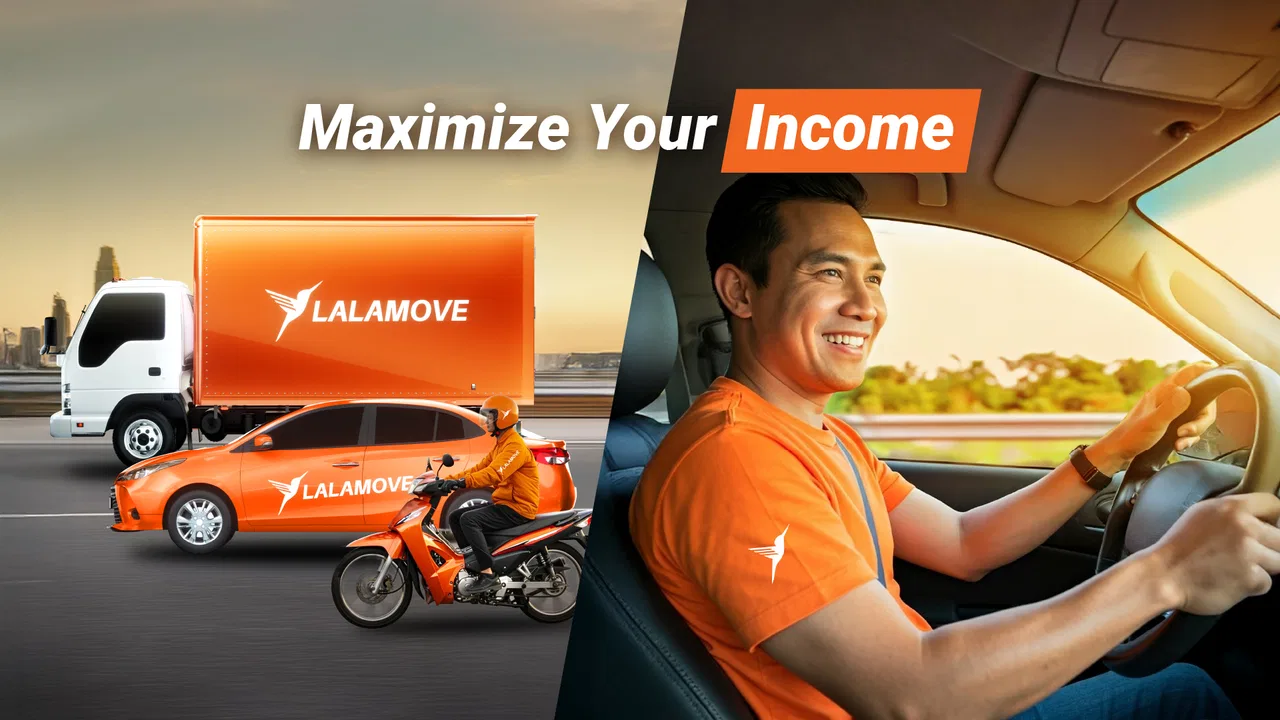
Lalamove supports a variety of vehicles, including motorcycles, sedans, vans, and trucks. Each vehicle type is suitable for different delivery needs, so drivers can choose jobs that match their vehicle's capacity, ensuring they can handle the deliveries efficiently.
04How does the payment system work in Lalamove Driver?
Lalamove offers competitive rates with payments made directly to the driver’s bank account. Drivers are paid per delivery, with rates based on distance and vehicle type. Detailed earnings reports are available within the app to help drivers track their income and plan their work schedules.
05Are there any requirements or qualifications to become a Lalamove driver?
Yes, drivers must meet certain requirements, such as having a valid driver’s license, a registered vehicle, and relevant insurance. Additionally, drivers should have a smartphone to use the app, a good understanding of local routes, and a commitment to providing reliable service to customers.
Pros
- User-friendly interface for easy navigation.
- Flexible working hours to suit your schedule.
- Real-time tracking for better route management.
- Instant payments after completing deliveries.
- In-app support for quick assistance.
Cons
- Limited availability in certain regions.
- High competition during peak hours.
- Requires a reliable vehicle for deliveries.
- App can use significant battery power.
- Earnings fluctuate based on demand.

Lalamove Driver - Drive & Earn
Gallery